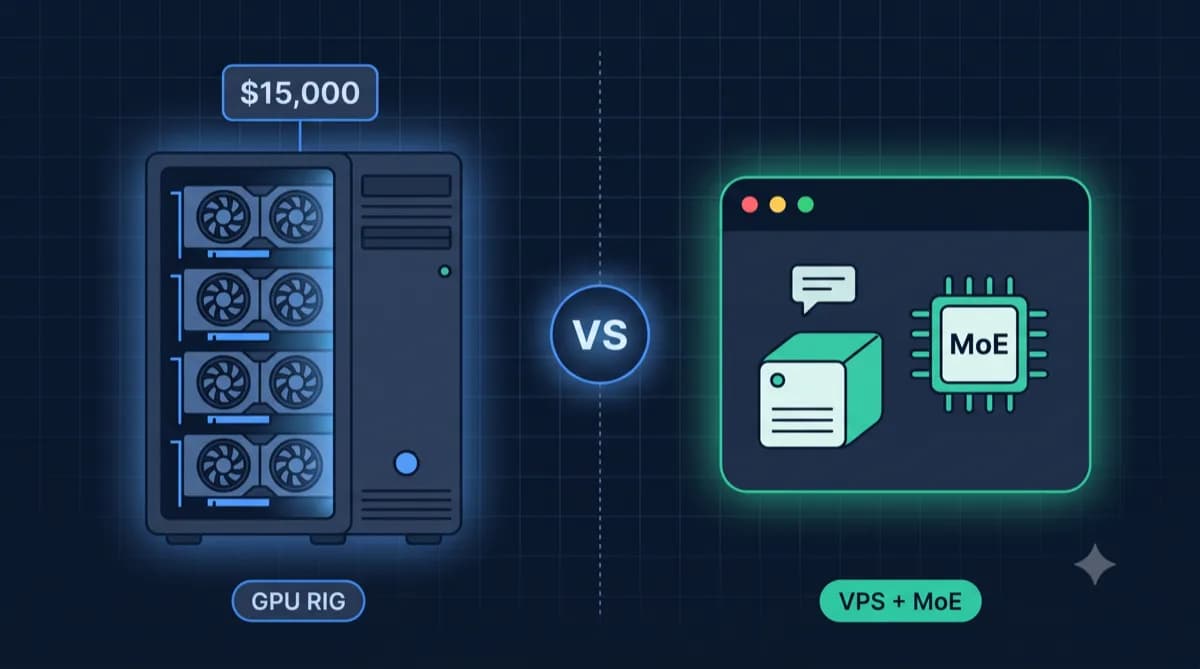
A local language model on a VPS needs enough memory above all. This guide shows how to run Ollama with memory limits and connect it to VS Code through Continue.
You set up an AI coding assistant on a VPS with 16 GB of RAM. The model processes prompts and code on your server instead of at an AI API provider.
💡 No VPS yet? Our Ollama VPS calculator works out the hardware for your model.
If you have not installed Ollama yet, start with our Ollama VPS setup guide.
The problem: why a local coding assistant can stall
Possible causes:
1. Not enough memory
The file size per model and quantization is listed in the tag directory on ollama.com/library (as of Nov 8, 2026). Context needs extra memory: per the Ollama FAQ, memory use grows with the number of parallel requests times the context length (as of Nov 8, 2026). If RAM runs short, it slows down or aborts.
2. Quantization
Higher levels such as Q8_0 take more memory than Q4_K_M or Q5_K_M. The sizes per variant are in the model card (as of Nov 8, 2026).
3. Large context window
A large context window costs memory. According to the Ollama FAQ, Ollama uses 4096 tokens by default, adjustable via OLLAMA_CONTEXT_LENGTH (as of Nov 8, 2026).
The solution: the setup in this guide
Hardware: VPS with 16 GB of RAM
For the setup in this guide (7B model, one request at a time) we plan for 16 GB of RAM. The VPS comparison shows plans with 16 GB, with prices including VAT and their date.
Step 1: choose a model
A 14B model leaves less memory for context and the system. So this guide uses a 7B model.
Qwen2.5-Coder-7B-Instruct
| Property | Value |
|---|---|
| Parameters | 7 billion |
| Ollama tag | qwen2.5-coder:7b-instruct-q5_K_M |
| File size | 5.4 GB, RAM use above that depending on context |
| Context | 32K tokens |
Values per ollama.com, as of Nov 8, 2026. The smaller model leaves more memory for context, the system and the editor server.
Alternative: DeepSeek-Coder-V2-Lite-Instruct
DeepSeek-Coder-V2-Lite is a mixture-of-experts model with 16 billion parameters, 2.4 billion of them active per token (per its model card, as of Nov 8, 2026). The whole model sits in memory; the Ollama tag 16b is 8.9 GB (per ollama.com, as of Nov 8, 2026). On 16 GB of RAM that leaves less room for context and the system.
Step 2: Ollama with resource limits
According to the Ollama FAQ, Ollama in CPU mode keeps up to three models in memory at once by default and unloads them after five minutes (as of Nov 8, 2026). Limits rein that in.
docker-compose.yml
services:
  ollama:
    image: ollama/ollama:latest
    container_name: ollama
    restart: unless-stopped
    ports:
      - "127.0.0.1:11434:11434"
    volumes:
      - ollama_data:/root/.ollama
    environment:
      - OLLAMA_NUM_PARALLEL=1
      - OLLAMA_MAX_LOADED_MODELS=1
      - OLLAMA_CONTEXT_LENGTH=4096
    deploy:
      resources:
        limits:
          memory: 12G

volumes:
  ollama_data:
The port is reachable only on the server itself; from VS Code you connect via an SSH tunnel. Without 127.0.0.1, the port would also be reachable from outside, per the Docker docs (as of Nov 8, 2026).
Settings explained
| Variable | Value | Meaning per docs |
|---|---|---|
OLLAMA_NUM_PARALLEL | 1 | Parallel requests per model |
OLLAMA_MAX_LOADED_MODELS | 1 | Models loaded at once |
OLLAMA_CONTEXT_LENGTH | 4096 | Context length in tokens |
memory: 12G | Example value | Container memory limit |
Sources: Ollama FAQ and the Compose reference, as of Nov 8, 2026. Adjust the limit to model and context.
Load the model
docker compose up -d
docker exec -it ollama ollama pull qwen2.5-coder:7b-instruct-q5_K_M
Step 3: connect Continue to Ollama
This guide uses the VS Code extension Continue, which supports Ollama as a model provider (Continue docs, as of Nov 8, 2026).
Installation
- Install the VS Code extension "Continue"
- Create the configuration:
~/.continue/config.yaml
name: VPS Coding Assistant
version: 1.0.0
schema: v1
models:
  - name: Qwen Coder
    provider: ollama
    model: qwen2.5-coder:7b-instruct-q5_K_M
    apiBase: http://localhost:11434
    roles:
      - chat
      - edit
For autocomplete, the Continue docs suggest a separate small model (as of Nov 8, 2026); then set OLLAMA_MAX_LOADED_MODELS=2.
Access via SSH tunnel
Do not open port 11434 publicly. Forward it to your machine via SSH:
ssh -N -L 11434:localhost:11434 user@YOUR_VPS_IP
In Continue you then use http://localhost:11434.
Step 4: keep memory under control
Do not disable the OOM killer
Do not disable the OOM killer for Ollama: the kernel kills other processes, such as SSH or the database. Limit container memory instead (step 2) and use a smaller model or shorter context.
Swap file (emergency buffer)
A small swap file as safety net:
sudo fallocate -l 4G /swapfile
sudo chmod 600 /swapfile
sudo mkswap /swapfile
sudo swapon /swapfile
echo '/swapfile none swap sw 0 0' | sudo tee -a /etc/fstab
Caution: Swap is for emergencies. If Ollama swaps regularly, the model is too large.
Limit the context
Set OLLAMA_CONTEXT_LENGTH in the Compose file; per the Ollama FAQ, RAM use scales with OLLAMA_NUM_PARALLEL × OLLAMA_CONTEXT_LENGTH (as of Nov 8, 2026).
Your own server instead of an API
With your own VPS, you pay the server price, not usage-based API fees. Throughput and latency depend on the hardware. The VPS comparison shows current prices including VAT.
FAQ
Frequently asked questions
Can I use a 14B model as well?
Can I use another extension instead of Continue?
Is 8 GB of RAM enough?
How current are the model recommendations?
Can I switch between several models?
Conclusion
A local coding assistant runs on a VPS with 16 GB of RAM if model and limits fit:
- 7B model instead of 14B
- Q5_K_M quantization (5.4 GB)
- Continue with Ollama
- Memory limit on the container
- Access only via SSH tunnel
The VPS comparison shows what a suitable VPS costs today, including VAT.